




Desk posture is not only about how you sit. It is also influenced by what you do at your desk, how often you reach for things, where you place your screen and how long you stay focused on one task.
A workstation that works well for writing emails may not feel equally comfortable when you spend an hour reading documents or working with spreadsheets. Instead of searching for one perfect sitting position, it makes more sense to look at the way you actually use your desk.
That small change in thinking can make your workspace easier to adjust and more comfortable throughout the day.
Why Desk Posture Is Different for Every Person
Two people can use identical desks and still need completely different arrangements.
One person may spend most of the day typing. Another may switch between a computer, paperwork and telephone calls. Someone working with two monitors has different needs from someone using a laptop.
For that reason, there is no universal workstation setup that suits everyone. OSHA also emphasizes that computer workstations should be adapted to the individual and the tasks being performed. OSHA
Your goal is therefore not to copy somebody else’s desk. It is to notice what your own working habits require.
1. Desk Posture Begins With What You Use Most
Look at the objects you reach for repeatedly during a normal workday.
Your keyboard, mouse and main screen should have priority because you use them constantly. Items that you only need occasionally can be placed farther away.
This simple idea can make the desk feel less crowded and reduce unnecessary reaching.
Try this:
- Put the main screen in your usual line of sight.
- Keep the keyboard in a natural working position.
- Place the mouse where your hand can reach it without stretching.
- Move rarely used objects away from the main working area.
- Leave enough space to move your arms comfortably.
OSHA recommends keeping frequently used workstation components within easy reach. OSHA
2. Desk Posture Changes With the Task
Think about what happens when your task changes.
When reading a long document, you may move closer to the screen. When typing quickly, your hands may move farther forward. During a video meeting, you may sit differently from when you are writing.
Instead of ignoring these changes, use them as reminders to adjust your setup.
If you regularly read printed material while working on a computer, a document holder may help keep the material closer to your visual working area. If you frequently use a second screen, position the display you use most directly in front of you.
The workstation should follow your work rather than making your body constantly adapt to it.
3. Desk Posture Depends on Your Screen Habits
Your screen position deserves attention because small changes in viewing distance can affect how you position your head and upper body.
If you regularly lean toward the monitor to read, first try increasing the text size. You may discover that the problem is not your sitting position at all.
The main monitor should normally be positioned in front of you, with its height adjusted so you can view it comfortably. OSHA provides similar recommendations for monitor placement and viewing distance. OSHA
If you use two monitors, think about which one receives most of your attention. That screen should generally have the most central position.
4. Desk Posture Includes Your Feet Too
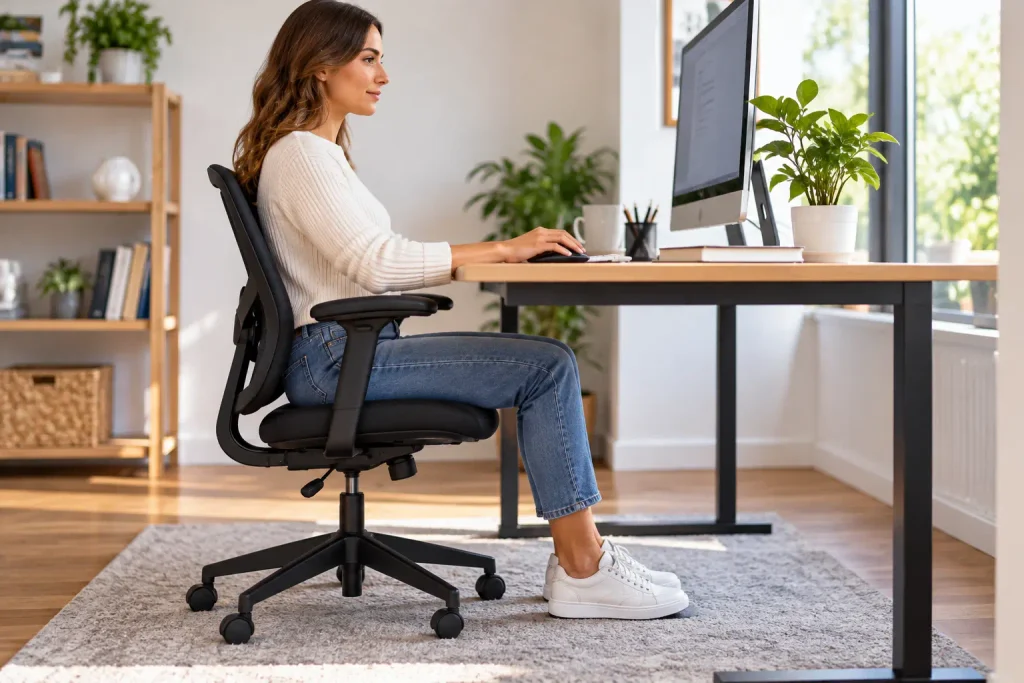
Your upper body is not the only part of the workstation that matters.
Look underneath your desk.
Do your feet have enough room? Are cables or storage boxes getting in the way? Are you constantly changing your leg position because something is blocking the available space?
A comfortable lower-body position gives you more freedom to change how you sit.
If your chair needs to be raised to work comfortably at the desk and your feet no longer reach the floor, a suitable footrest can help. OSHA recommends providing adequate support for the feet when adjusting a workstation. OSHA
A Quick Desk Reset Before a Long Task
Before starting a task that will take an hour or more, take a few seconds to prepare the area.
Put the screen where you can see it comfortably. Move the keyboard into place. Bring the mouse closer. Remove anything that you know you will not need.
Then sit down and begin.
This takes much less time than repeatedly shifting your chair, reaching across the desk or moving equipment while you are already concentrating on the task.
5. Desk Posture Can Improve When You Stop Chasing Perfect Posture
Trying to sit perfectly for an entire workday can become another source of tension.
Your body naturally moves. You may lean back, shift your legs or change how your arms are positioned. Those changes are not automatically a problem.
What matters more is whether your workstation allows you to move without repeatedly forcing your body into uncomfortable positions.
The CDC recommends avoiding prolonged periods in one position and notes that short breaks can help reduce discomfort during computer work. CDC
So rather than asking yourself, “Am I sitting perfectly?”, ask:
“Can I work comfortably, and can I change position easily?”
That is a much more practical question.
Your Five Point Workstation Check
Once during the working day, quickly review these five areas:
Screen
Can you read it without leaning forward?
Hands
Can you reach the keyboard and mouse without stretching?
Shoulders
Are you keeping them relaxed while working?
Legs
Do you have enough room underneath the desk?
Movement
Have you been sitting in the same position for too long?
If one answer concerns you, change that one thing instead of rebuilding the entire workstation.
Working With a Laptop
Laptop users face a particular challenge because the screen and keyboard are attached.
If you raise the laptop to improve the screen position, the keyboard rises with it. If you keep the keyboard at a comfortable level, the screen may remain too low.
For people who work intensively on a laptop, an external keyboard and mouse can give you more flexibility. You can then position the screen separately from your hands.
OSHA specifically identifies laptops as requiring additional consideration because of their design. OSHA
You do not necessarily need an expensive docking station. The important point is having enough flexibility to position the main parts of your workstation comfortably.
Make Movement Part of Your Workday
A good workstation should not become an excuse to stay in one position for hours.
When you finish a task, use that moment as a natural movement opportunity. Stand up before starting the next meeting. Walk to get water. Step away from the screen while thinking about a problem.
You can also connect these short periods of movement with your existing Exercise & Fitness routine.
The objective is simple: work, change position, move, then return to work.
Working From Home Needs the Same Attention
Home workspaces often develop gradually. You may start with a laptop at the kitchen table and eventually spend most of the day there without reconsidering the setup.
If you work from home regularly, choose one area that can serve as your main workstation.
Keep the equipment you use every day there. Give yourself enough space for the computer and other essential items, and avoid working from the sofa or bed for extended periods when a more suitable surface is available.
If separating work from personal time is also difficult, our Mental Health article covers practical ways to manage everyday stress.
You can also read our existing Work & Wellness article for more ideas about creating healthier working habits.
When Your Body Keeps Complaining
A workstation adjustment may help when your working position is contributing to discomfort, but not every symptom comes from the desk.
If you repeatedly experience pain, numbness, tingling or weakness, especially if the problem is becoming worse, do not simply keep adjusting your chair and monitor.
Persistent symptoms deserve appropriate professional evaluation.
Your workstation is one part of your working environment, not a diagnosis.
Frequently Asked Questions About Desk Posture
Should I try to keep one posture all day?
No. Remaining in exactly the same position for a long time is not the goal. A comfortable workstation should allow you to change position.
Does a more expensive chair automatically improve posture?
No. Adjustability and suitability for the person using it are more important than price. OSHA recommends choosing and adjusting the chair together with the rest of the workstation. OSHA
Where should my main monitor be?
If you use one monitor, placing it directly in front of you is a practical starting point. OSHA also recommends keeping the top of the display at or slightly below eye level. OSHA
What is the easiest change I can make today?
Start with the equipment you use most. Bring the keyboard and mouse into a comfortable position, check the screen and make sure your feet have adequate support.
Do I need special equipment for a laptop?
Not necessarily. However, people who spend many hours working on a laptop may benefit from an external keyboard and mouse because they allow the screen and hands to be positioned separately. OSHA
Final Thoughts on Desk Posture
Desk posture becomes easier to manage when you stop treating it as a fixed sitting position.
Look at your actual work habits. Notice what you reach for most, where you look most often and which tasks make you move closer to the screen or change position.
Then make your workstation follow those habits.
A few small adjustments, combined with regular movement, can make computer work more comfortable without turning your entire working day into a posture exercise.
Medical note: This article provides general wellness information and is not a substitute for individualized medical advice.